CRM & Lead Management
Best CRM for Mortgage Loan Officers: Features, Automation & Lead Management
Not a ranked list. A criteria-based guide to evaluating mortgage CRMs: which features matter, how to compare vendors honestly and how a CRM should connect to your website.
By Mortgage Site Pros Editorial Team · Published · Updated
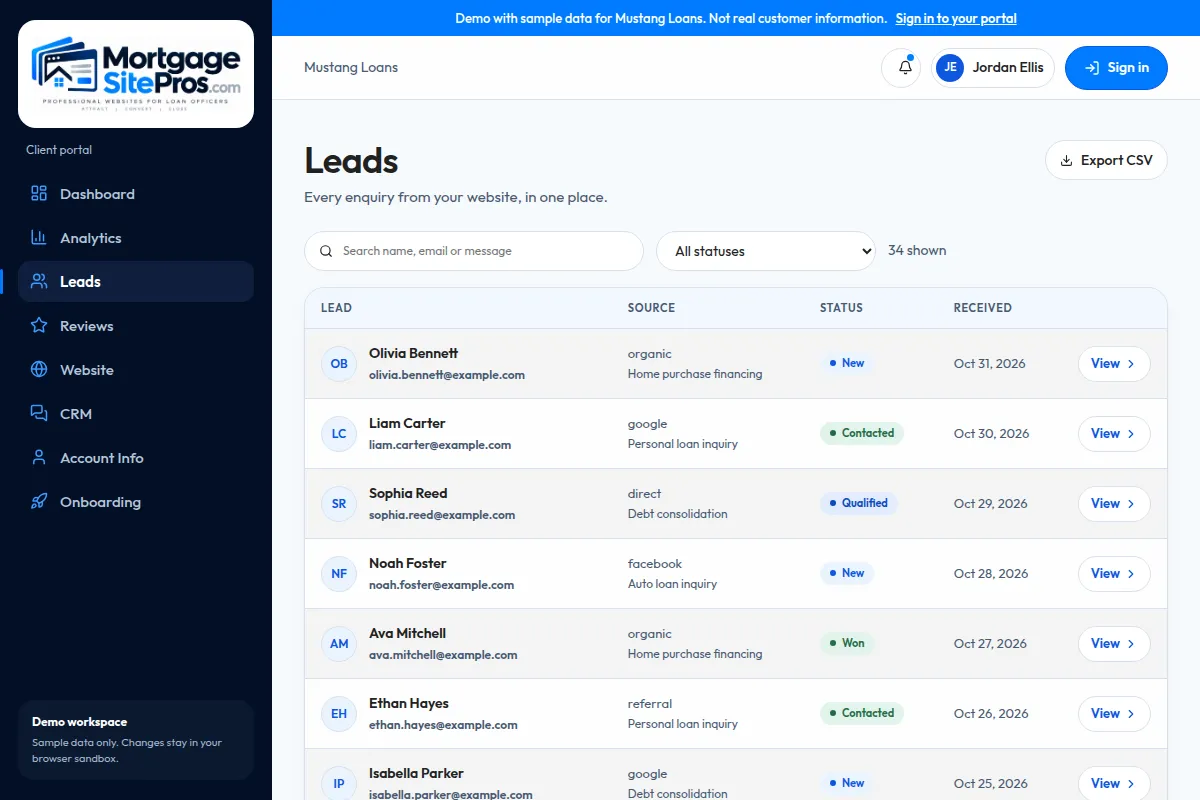
The best CRM for a mortgage loan officer is the one you and your team will actually use every day, that holds every borrower and partner relationship in one place, and that reliably prompts the follow-up you would otherwise forget. Features matter, but adoption matters more. A powerful system nobody updates is an expensive address book.
We do not publish a ranked list of CRMs. Vendors change features and pricing frequently, and the right choice depends on your company, your loan origination system and how you market. Instead, this guide lays out the criteria to evaluate, points to how two mortgage-focused vendors describe their own lead features, and gives you a scoring sheet for demos.
A CRM sits between your lead generation sources and your follow-up process. For the big picture, see the complete loan officer marketing guide.
What is a mortgage CRM?
A customer relationship management system stores contacts, conversations and tasks. A mortgage CRM adds industry context: loan milestones, pre-approval expirations, closing dates, realtor and partner records, refinance monitoring, and marketing built around the life of a loan and the years after it.
Generic CRMs can work for loan officers, but you will build much of that structure yourself: pipeline stages, custom fields for loan type and target close date, partner relationships, and the automations that tie them together. Mortgage-specific CRMs ship with much of it, often including integrations with loan origination systems so milestones update without double entry.
Core features to evaluate
Use this table in vendor demos. Ask each vendor to show, not tell, every row.
| Feature | Why it matters | What to ask in a demo |
|---|---|---|
| Lead capture and routing | Inquiries from your site and other sources land in one place and reach the right person | Show me a website form submission arriving and being assigned |
| Pipeline and milestones | See where every borrower stands | Does it sync with our LOS, and how often? |
| Automated email and SMS | Consistent follow-up without manual reminders | How is texting consent captured and how are opt-outs honored? |
| Partner management | Track realtor relationships and shared clients | Can agents receive milestone updates? |
| Past-client marketing | Closing anniversaries and relevant check-ins | How do we keep messages compliant and approved? |
| Reporting | Know which sources produce applications, not just leads | Show source-to-funded reporting |
| Permissions and compliance | Company control of templates and data | Can compliance lock approved content? |
| Mobile app | Work from showings and open houses | Show logging a call and a note on mobile |
How mortgage-focused CRM vendors describe lead management
To illustrate what the category offers, here is how two mortgage-focused vendors describe their own lead features on their websites. This is not an endorsement or ranking; confirm current details directly with each vendor.
Jungo positions itself as a mortgage CRM built on Salesforce, and its lead capture page describes bringing leads from websites and other sources into the CRM for follow-up. Total Expert describes lead management features for financial institutions, including lead distribution and engagement.
Many loan officers also have a company-provided CRM. If your lender or brokerage already provides one, learn what it can do before buying another. Two CRMs usually means two incomplete databases and twice the data entry.
How your CRM should connect to your website
The most common gap we see is a website form that emails someone and stops there. Leads get lost in inboxes, nobody knows who responded, and there is no record for later marketing. Connecting your website to your CRM fixes that, but it needs to be scoped: which fields map to which CRM fields, how consent is recorded, who gets assigned, and what happens if the connection fails.
- Map form fields to CRM fields before launch, including lead source and page URL.
- Record what the person consented to (email, SMS, calls) and when.
- Define assignment rules for teams.
- Set an alert if submissions stop arriving.
- Test with real devices before going live.
What Mortgage Site Pros can scope
Mortgage Site Pros builds the website side. Connecting forms to a CRM you choose is an integration option we scope and confirm per project, depending on the CRM and what it supports. Contact us to discuss your setup before assuming any specific connection is available.
Automation: useful versus noisy
Automation is the main reason loan officers buy CRMs, and also the main way they annoy people. Useful automation responds quickly, reminds you to make personal contact, and keeps clients informed with relevant updates. Noisy automation sends long daily drips that read like ads.
A good rule: automate the reminders and the routine updates, personalize the important conversations. For detailed workflows, see mortgage marketing automation.
- Automate: acknowledgment of an inquiry, task reminders, milestone updates, pre-approval expiration reminders, closing anniversaries.
- Personalize: the first real conversation, program discussions, anything involving a borrower decision.
- Avoid: texting people who did not consent, and frequent generic newsletters.
Compliance questions to ask any CRM vendor
Your CRM sends messages on your behalf, so its features affect compliance. Commercial email must follow the CAN-SPAM Act, including accurate header information and subject lines, a valid physical postal address, and a working opt-out honored promptly; the FTC compliance guide is the plain-language reference. Text messaging and calls raise consent issues under the Telephone Consumer Protection Act; the FCC consumer guidance summarizes the landscape. Your compliance team should decide what is required for your situation.
- How are unsubscribes and STOP replies handled across all campaigns?
- Can company compliance approve and lock templates?
- Where is data stored and who can export it?
- What happens to my contacts if I change companies? Check your employment agreement as well.
Rolling out a CRM without losing momentum
Most CRM projects stall in the first month, not because the software is wrong but because the rollout tries to do everything at once. A staged rollout keeps your pipeline moving while the system takes shape.
- Week 1: import active pipeline and current realtor partners only. Clean duplicates before import, not after.
- Week 2: connect your primary lead source, usually your website contact form, and confirm every test submission arrives with source and consent recorded.
- Week 3: turn on one automation, typically the inquiry acknowledgment plus a task reminder to call. Review every message with compliance first.
- Week 4: add pipeline milestone updates for borrowers and agents.
- Month 2 and later: import past clients, then build anniversary and check-in campaigns. Review reporting monthly so you know which sources lead to applications.
Who owns the data
Decide early who maintains the CRM day to day. If an assistant or processor updates records, give them clear rules for notes, stages and tasks. A CRM with inconsistent data produces reporting nobody trusts, which quietly kills adoption.
A scoring sheet for CRM demos
Score each vendor 1 to 5 on each row, multiply by the weight, and compare totals. Adjust weights for your business; a referral-heavy loan officer should weight partner features higher.
| Criterion | Suggested weight | Notes |
|---|---|---|
| Daily usability for you and your assistant | 5 | Could you log a call in under 30 seconds? |
| LOS integration | 4 | Milestones without double entry |
| Website and lead source capture | 4 | All sources in one place |
| Texting with consent controls | 4 | Opt-out handling is automatic |
| Partner and realtor features | 3 | Higher if referrals drive your pipeline |
| Reporting to funded loans | 3 | Source attribution |
| Total cost including setup and add-ons | 3 | Get written quotes |
| Company approval | Required | Confirm your employer allows it |
Frequently asked questions
What is the best CRM for a mortgage loan officer?
There is no universal best. The best fit integrates with your LOS, is approved by your company, captures leads from your website and other sources, supports compliant email and texting, and is simple enough that you use it daily. Score vendors with a weighted checklist during demos.
Do I need a mortgage-specific CRM?
Not always. A general CRM can work if you build mortgage stages and automations yourself. Mortgage-specific systems save setup time and often integrate with loan origination systems.
Should my website connect directly to my CRM?
Ideally yes, so every inquiry is recorded, assigned and followed up. The connection should be scoped and tested, including how consent is stored and what happens if a submission fails.
Can a CRM guarantee more closed loans?
No tool can guarantee loans. A CRM helps you respond faster and stay in touch consistently, which supports conversion, but results depend on your lead sources, process and service.
What about my company-provided CRM?
Use it fully before adding another system. Many loan officers use only part of what their company CRM offers. Ask for training and check which integrations are available.
Sources and further reading
See how your website and CRM can work together
Tell us which CRM you use. We will review what a website-to-CRM integration would involve for your setup and confirm scope before any work begins.
Talk to us about CRM integration